I Opened FL Studio Again After Years Away From Making Beats
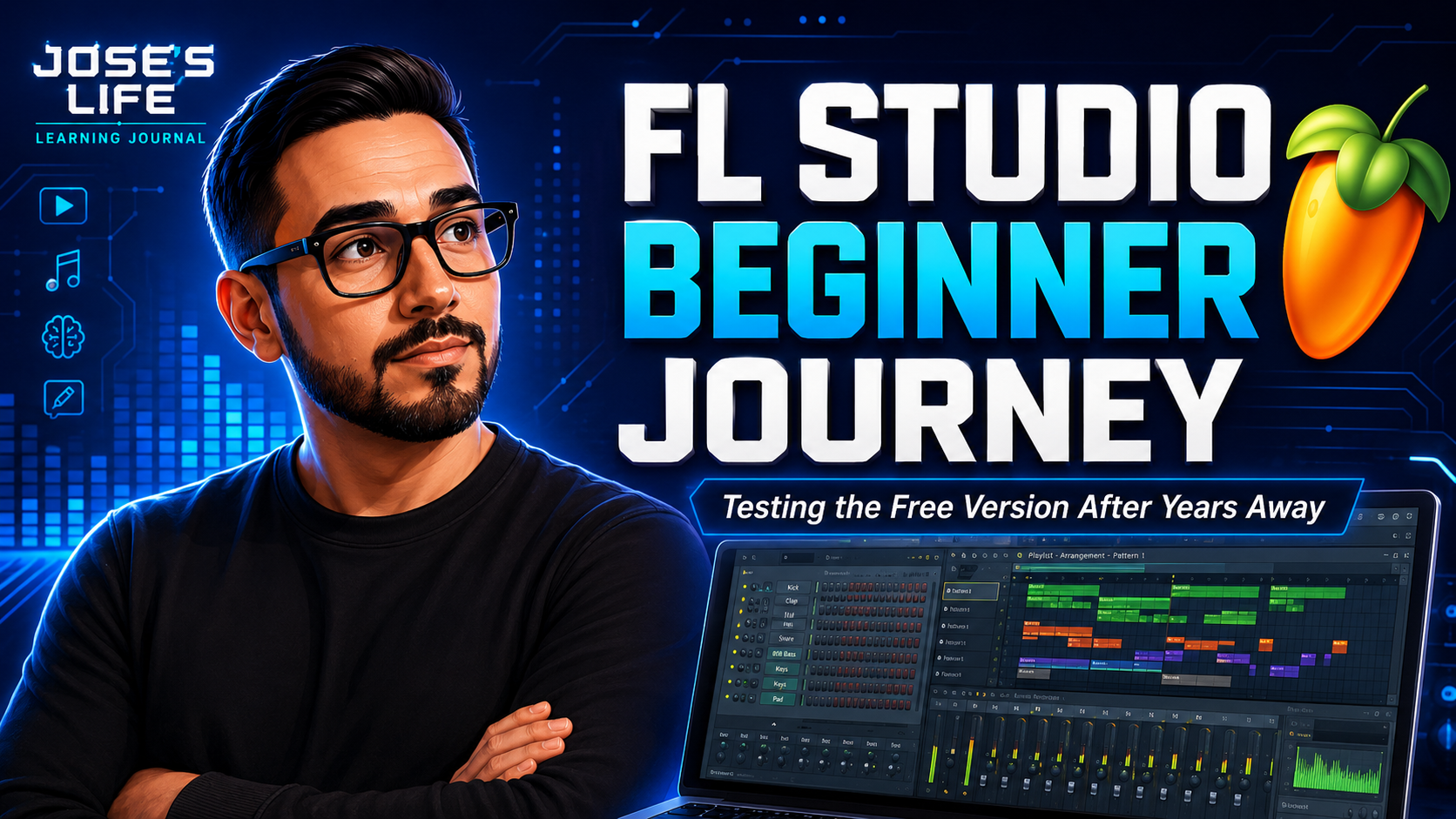
I opened FL Studio again after years away from making beats, and this video became the first real step in my FL Studio beginner journey.
This was not a polished tutorial. It was not a professional producer breakdown. It was not a perfect beat-making session.
It was me opening the free trial of FL Studio, clicking around again, seeing what I remembered, and trying to make a simple song from scratch.
I used to make beats when I was younger. I was never a pro producer, but I understood the basics. I knew how to create patterns, build drum loops, add melodies, arrange sections, and turn those pieces into something that felt like a song.
Then I stopped for years.
Now I am getting back into music from a different place. I have been documenting my beginner piano journey, learning new creative tools, building Jose’s Life, and experimenting with content creation. So it made sense to bring music production into that journey too.
This video is the start of me asking a simple question:
Can I still make beats in FL Studio, and is it worth buying later?
Starting My FL Studio Beginner Journey Again
The main goal of this video was simple. I wanted to open FL Studio and see if the free trial was enough for me to test the software before buying it later.
FL Studio is one of the most popular digital audio workstations for making beats, producing music, arranging songs, and experimenting with sounds. In this video, I used the free trial to explore the workflow again. Image-Line describes the trial as having no time limit and allowing users to save and export projects, though saved projects need a paid unlock to reopen later.
That makes it a good starting point for someone like me.
I am not trying to buy every music production tool right away. I want to test the process first. I want to see if I enjoy opening the software, building patterns, arranging sounds, and creating a full idea.
That is why this video is more of a music production learning journal than a tutorial.
I am not saying, “This is the right way to make beats.”
I am saying, “This is what happened when I opened FL Studio again after years away.”
Why I Wanted To Try FL Studio Again
When I was younger, I spent a lot of time making beats. I remember opening FL Studio and creating different patterns for different parts of the song.
I would usually separate things out like this:
Kick pattern
Snare pattern
Hi-hat pattern
Bass pattern
Melody pattern
Extra sounds or effects
Then I would use the playlist to arrange everything into a song.
That workflow came back to me during this video. I still had to figure things out again, but the basic idea felt familiar.
The biggest difference now is that I am coming back to music with a different mindset.
When I was younger, I just wanted to make something that sounded cool. Now I want to document the process. I want to show the mistakes. I want to show the small wins. I want to turn the learning process into content that other beginners can follow.
That is what Jose’s Life is becoming.
It is not just a blog. It is a learning journal.
This FL Studio beginner journey fits right into that.
Using The FL Studio Free Trial Before Buying
One reason I made this video is because I do not own the full version of FL Studio right now.
I am testing the free trial first.
That matters because many beginner music producers wonder if they should buy FL Studio right away or test the software first. I am in that same position.
I do not want to spend money on the full version unless I know I will use it consistently. I want to create a few videos, make a few beats, test a few workflows, and see if music production becomes something I actually stick with.
That is why this video focuses on real beginner questions:
Can I still make a beat in FL Studio?
Is the free trial good enough to learn with?
Do I enjoy the workflow?
Can I create a simple loop without getting overwhelmed?
Would I actually use this enough to buy it later?
Can I combine FL Studio with AI music tools in future videos?
Those are the questions I want this series to answer over time.
Making A Simple Beat In FL Studio
Once I opened FL Studio, I started with the basics.
I did not try to make a complicated beat. I did not try to use advanced mixing, automation, plugins, or professional producer techniques.
I started with a simple loop.
The first pieces I worked with were:
Kick
Snare
Hi-hat
Bass
That gave me enough to build a basic beat idea.
For beginners, this is probably the most natural place to start. You do not need to understand every button inside FL Studio before making music. You can start with a few sounds and build from there.
That is exactly what I did.
I opened the channel rack, started placing sounds, listened back, adjusted the rhythm, and slowly built a loop that gave me something to work with.
It was not perfect. But it was a start.
And for this first video, that was the whole point.
Separating Each Sound Into Its Own Pattern
One thing I remembered from making beats years ago was separating sounds into their own patterns.
Instead of putting the kick, snare, hi-hat, bass, and extra sounds all inside one pattern, I separated them.
That helped me arrange the beat later.
For example, if I wanted the intro to start with fewer sounds, I could bring in the kick first. Then I could add the snare. Then I could bring in the hi-hat. Then the bass could come in and make the beat feel fuller.
This is one of the reasons I like FL Studio.
The pattern-based workflow makes it easy to build small pieces first and then arrange those pieces into a full song.
In this video, I separated my sounds into individual patterns so I could control the structure better.
That made the process feel familiar again.
Creating The Kick Pattern
The kick was the foundation of the beat.
I started with a basic kick pattern because the kick gives the track its movement. It tells the listener where the beat lands. It also gives the other sounds something to work around.
At this stage, I was not trying to create a complex drum groove.
I just wanted something steady enough to build on.
That is an important lesson for any beginner learning FL Studio. You do not have to start with something complicated. A simple kick pattern can be enough to begin building momentum.
Once I had the kick going, the beat started to feel more real.
Creating Two Different Snare Patterns
The snare was one of the more interesting parts of this beat.
Instead of using only one snare pattern for the entire song, I created two different snare patterns.
One snare pattern worked as the main consistent snare throughout most of the beat.
The other snare pattern worked more like a transition. I used it for the intro and again when the verse section ended.
That gave the arrangement a little more movement.
Even though this was still a beginner beat, that small change helped the song feel less repetitive. It gave the intro and transition sections their own identity.
This is something I want to keep exploring in future FL Studio videos.
Small pattern changes can make a simple beat feel more like a full song.
Creating The Hi-Hat Pattern
After the kick and snare, I added a hi-hat pattern.
The hi-hat helped fill in the empty space and gave the beat more rhythm.
When I used to make beats years ago, I remember spending a lot of time adjusting hi-hats. Sometimes the hi-hat pattern can make a beat feel faster, smoother, more energetic, or more relaxed.
In this video, I kept it simple.
I wanted the hi-hat to support the beat instead of taking over the whole sound.
That is another beginner-friendly lesson I noticed while recording. Sometimes it is better to keep the first version simple. You can always come back later and make it more complex.
The goal was not to make the final version of a professional beat.
The goal was to get comfortable creating again.
Adding Bass To The Beat
Once the drums were in place, I added bass.
The bass made the beat feel heavier and more complete.
This is where the loop started to sound more like a real idea instead of just a drum pattern.
Bass is one of those parts that can completely change the feel of a beat. Even a simple bassline can make the track feel more musical.
Since I am still early in my piano journey, I also found this part interesting from a learning perspective. Understanding notes, rhythm, and timing from piano practice can eventually help me make better basslines and melodies inside FL Studio.
That is one reason I like connecting my piano journey with my music production journey.
They support each other.
Learning piano helps me understand music better.
Using FL Studio helps me apply those ideas creatively.
Testing AI music tools may help me turn rough ideas into fuller songs.
That is the bigger direction I want Jose’s Life to explore.
Adding A Sytrus Sound To Support The Bass
After the bass, I added a Sytrus sound that mimicked the bass a little bit.
This gave the beat another layer.
I was not trying to overproduce it. I just wanted to add something that made the sound feel fuller and more interesting.
Sytrus is one of the sounds I wanted to experiment with because FL Studio has built-in instruments that can help beginners start creating without needing a bunch of outside plugins.
For this first video, the Sytrus sound worked as a supporting layer. It followed the bass idea and helped the beat feel more complete.
This is something I want to keep experimenting with in future videos.
I want to learn how to choose better sounds, layer instruments, use melodies, and build beats that feel more intentional.
Turning Patterns Into A Song
After creating the individual patterns, I moved into the playlist and started arranging them.
This is the part I remembered from years ago.
The playlist is where the beat starts becoming a song.
Instead of listening to one loop over and over, I could start deciding when each pattern should come in and when it should drop out.
That is where I used the different snare patterns.
The intro used one snare idea.
The main section used a more consistent snare pattern.
The end of the verse brought back the alternate snare pattern.
That helped the arrangement feel like it had sections.
Even though the beat was simple, arranging it this way made it feel more complete than just one repeated loop.
For a beginner FL Studio workflow, this was a good reminder:
Make small patterns first.
Arrange them into sections.
Listen to the full song idea.
Adjust what feels repetitive.
Keep building from there.
That is the process I want to keep improving.
What I Learned From Reopening FL Studio
This video reminded me that music production can feel overwhelming at first, but it becomes easier when I start small.
I did not need to understand every feature in FL Studio.
I did not need to mix the beat perfectly.
I did not need to make a finished song in one session.
I did not need to sound like a professional producer.
I just needed to start.
That is the lesson I want this first video to show.
Starting again is the hardest part.
Once I opened FL Studio and made the first loop, the process felt less intimidating. I remembered more than I expected. I still forgot a lot, but the basic workflow started coming back.
That is why this video is important for the Jose’s Life channel.
It shows the beginning of a new creative path.
How This Connects To My Piano Journey
My beginner piano journey is still a big part of Jose’s Life.
In fact, learning piano is one of the reasons I wanted to try FL Studio again.
When I was younger, I made beats mostly by clicking notes until something sounded good. I did not really understand music theory. I did not know much about piano. I did not think deeply about rhythm, timing, or song structure.
Now I am learning those things slowly.
Even as a beginner, piano practice changes the way I look at music production.
It makes me more aware of notes.
It makes me think more about timing.
It helps me understand melodies better.
It gives me a stronger connection to the sounds I am building.
That does not mean I know what I am doing yet.
But it does mean this time feels different.
This is not just me opening FL Studio for fun. This is part of a bigger journey of learning music from scratch.
Why I Am Also Interested In AI Music Tools
At the end of the video, I talked about where this series is going next.
I want to start testing AI music tools.
One of the tools I have been playing with is Suno. I have lyrics I wrote years ago, and I know I may never record all of them myself from scratch. But AI music tools make it possible to experiment with those lyrics in a new way.
That opens up a lot of creative questions.
Can AI help turn old lyrics into real song ideas?
Can I use AI music tools without removing the human part?
Can I add my own background vocals or edits?
Can I bring AI-generated ideas into FL Studio?
Can FL Studio help me customize AI music?
Can a beginner use AI to learn music production faster?
Those are the kinds of questions I want to explore in future videos.
I do not want the series to become “AI does everything for me.”
I want it to be more honest than that.
I want to test how AI can support creativity while still keeping my own ideas, lyrics, choices, and human input involved.
My Plan For Future FL Studio And AI Music Videos
This first video was about reopening FL Studio.
The next videos will likely explore AI music tools and how they can fit into a beginner music production workflow.
Some future video ideas include:
Trying Suno AI for the first time with my own lyrics
Using AI music tools to create a rough song idea
Bringing AI-generated music into FL Studio
Adding my own background vocals to an AI-generated song
Trying to remake or improve an AI song inside FL Studio
Making a beat from scratch with help from ChatGPT
Using FL Studio and AI tools together as a beginner
Comparing human-made beats with AI-generated music
Building a song from old lyrics I wrote years ago
Seeing if AI can help beginners learn music production faster
That is where I think this series can become interesting.
It is not only about FL Studio.
It is not only about AI music.
It is not only about piano.
It is about learning creative skills in public and seeing what happens.
Who This Video Is For
This video is for people who are curious about music production but feel intimidated by the tools.
It is for people who have opened FL Studio before and felt lost.
It is for people who used to make beats years ago and want to start again.
It is for people learning piano, writing lyrics, testing AI music tools, or trying to build a creative hobby into something bigger.
It is also for people who do not want a perfect tutorial.
Sometimes a polished tutorial can be helpful. But sometimes it is more motivating to watch someone figure things out in real time.
That is what this video is.
It is a real beginner music production session.
No fake expert voice.
No perfect beat.
No overedited producer persona.
Just the process.
Why I Am Documenting This On Jose’s Life
Jose’s Life is where I document the real process of learning new skills from scratch.
That includes piano, music production, AI tools, content creation, websites, branding, and creative experiments.
Every YouTube video gives me a chance to create a deeper blog post like this one.
The video shows the process.
The blog gives more context.
The website becomes the archive of the journey.
That is why I want each video to connect back to Jose’s Life.
Over time, this site can become a full learning journal filled with videos, notes, screenshots, tools, experiments, and lessons learned.
This first FL Studio video is just one part of that.
Final Thoughts On My First FL Studio Beat After Years Away
Opening FL Studio again felt familiar and confusing at the same time.
I remembered the basic idea of using patterns. I remembered arranging things in the playlist. I remembered building drums first and layering sounds afterward.
But I also realized how much I still need to learn.
That is what makes the process exciting.
In this video, I created a simple loop with kick, snare, hi-hat, bass, and a Sytrus layer. I separated everything into patterns. I made two different snare patterns. I arranged those patterns into a simple song structure. Then I wrapped up by talking about the next step: testing AI music tools and seeing how they can support music production.
This was not a finished producer-level track.
It was the beginning of a new creative journey.
And that is exactly what I wanted it to be.
If you are also learning FL Studio, getting back into beat making, trying AI music tools, or building creative skills from scratch, follow along with Jose’s Life.
I am figuring it out one video at a time.